



Stop paying for books that belong to everyone.
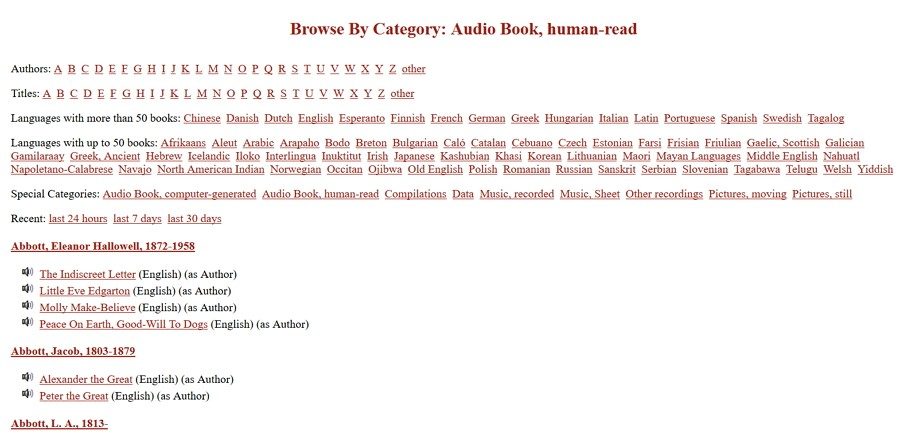
That is the core premise of Project Gutenberg. Founded in 1971 by Michael Hart, it is the oldest digital library on the internet. It holds nearly 60,000 eBooks. All of them are free. All of them are legal.
Most people think “free eBook” means piracy. It does not have to. Project Gutenberg focuses strictly on the public domain. This means the copyright has expired. The works belong to the public now. You can read them, copy them, and distribute them without asking permission.
“The mission is to make works accessible to the widest possible audience.”
This isn’t a modern tech startup with a slick app and a subscription fee. It is a volunteer-driven project. People digitize, proofread, and format these texts for free. The result? A massive archive of literature, history, and science that respects intellectual property laws while dismantling paywalls.
Why use Project Gutenberg instead of other free sites?
You might wonder why not just find a PDF on a random blog. Random blogs carry risks. Malware. Poor formatting. Incomplete texts.
Project Gutenberg offers a reliable alternative. It provides high-quality, verified texts. For students, teachers, and researchers, this matters. You need accurate sources. You don’t want a typo in a historical document. The collaborative model ensures quality control. Volunteers check the work. The integrity of the text is prioritized.
It also works everywhere. You don’t need a specific device. The files are available in multiple formats:
– Plain text (for universal compatibility)
– EPUB (for most e-readers and phones)
– MOBI/Kindle formats
– HTML (for reading directly in the browser)
This flexibility means you can read on a Windows PC, a Mac, an Android phone, or a Linux server. It doesn’t care. It just wants you to read.
How to download books from Project Gutenberg
The process is brutally simple. There are no accounts to create. No credit cards to enter. No “student discounts” that expire.
- Go to the official website.
- Use the search bar. Type an author’s name or a keyword.
- Click on the book you want.
- Look for the download links on the right side of the page.
That is it.
You will see different versions listed. If you have a Kindle, pick the MOBI or Kindle format. If you use a Kobo or an iPhone, pick EPUB. If you just want to read on your laptop right now, click the HTML link. No software installation is required. The browser handles it.
Some users prefer third-party apps. There are applications that pull from the Gutenberg catalog. They offer better interfaces. Bookmarks. Syncing across devices. These are useful tools. But the source remains the same. The raw files are always available on the main site.
Which formats should you choose?
This depends on your device.
If you are tech-savvy, you might prefer plain text. It is lightweight. It works on any system. It is easy to convert. But it lacks formatting. No chapters. No italics. Just words.
For most readers, EPUB is the standard. It reflows text. You can change font size. It works on iOS, Android, and most e-readers. It is the modern standard for eBooks.
Kindle devices are popular. Gutenberg provides specific formats for them. You can sideload these files via USB or email them to your Kindle. It works seamlessly.
There is no catch. The site explicitly states that all content is free. They fight against the monetization of public domain works. When you see a site charging money for a classic novel, they are profiting from something that should be free. Project Gutenberg rejects that model.
So, why do we still pay for books? Often, it is convenience. But convenience shouldn’t cost us our rights to access culture. Project Gutenberg proves you can have both. Legal access. High quality. Zero cost.
You can build a personal library today. Just click download. Keep the files. Read them offline. Share them. The internet was supposed to be open. This project remembers that.

How Project Gutenberg differs from Google Books and other digital libraries
Project Gutenberg isn’t trying to be Amazon. It isn’t even trying to be Google Books.
The distinction matters. While giants like Google Livres or Gallica mix copyrighted bestsellers with public domain classics, Gutenberg draws a hard line. It only hosts works that are truly free of copyright restrictions.
Why does this matter to you?
No DRM.
Digital Rights Management is the invisible lock on most e-books. It tells you what you can and cannot do with a file you technically “own.” On Project Gutenberg, that lock doesn’t exist. You can copy, paste, modify, or convert the text however you like. There are no restrictions. Just text.
This openness creates a different kind of catalog.
It’s international. It’s messy. And it’s incredibly diverse.
Contributors from around the world upload texts in dozens of languages. It’s not a polished retail experience. It’s a raw, open cultural archive. If you’re looking for a new thriller by a living author, go elsewhere. If you want the original, unaltered text of a classic that’s in the public domain, this is the place.
Quality control in a volunteer-driven model
You might worry about the quality. After all, it’s run by volunteers.
That’s actually its strength.
Every text on Project Gutenberg is proofread. Multiple times. A dedicated team of volunteers checks for errors, fixes typos, and ensures the formatting is readable. Compare that to random free download sites where files are often scanned poorly, full of artifacts and mistakes.
Gutenberg offers a cleaner experience.
Alternatives like the Internet Archive or Open Library are impressive, yes. But they often include copyrighted material with complex access models. You might need to borrow a book digitally, visit a physical location, or face download limits.
Gutenberg is direct.
You click. You download. You read.
It aligns with the philosophy of free access. No hoops. No waiting periods.
The business model: Why it stays free
There’s no premium tier.
No “Gutenberg Plus” for students. No certification you need to earn to read the books.
The platform runs entirely on donations and volunteer labor. No ads clutter the pages. No corporate interests dictate which books get featured. This independence ensures the project remains neutral and permanent.
It’s a structural commitment to free access.
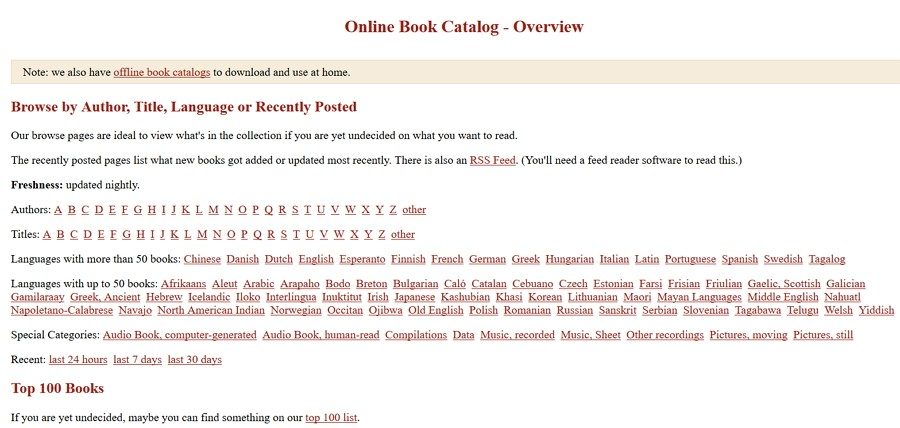
If you’re new to the site, the interface might feel dated. But community tutorials and guides make it easy to navigate. You can explore collections, search by author, or dive into specific genres. The tools are there. They just aren’t flashy.
Compatibility and updates: Just open the file
Forget about installing software.
Project Gutenberg is a web service. You access it through your browser. That’s it.
Whether you’re on Windows, Mac, Linux, Android, or an iPhone, the experience is the same. The site handles the heavy lifting.
There’s no app to update. No version number to check.
The library evolves silently in the background. New books are added daily. Metadata improves. Formats adapt to current standards. You don’t need to manage anything.
File formats that actually work
The files are designed for universal use.
No proprietary locks. No vendor-specific codecs.
Most texts are available in multiple formats. EPUB for modern e-readers. Plain text for older devices. Kindle formats for Amazon users.
If you need a PDF? There are third-party tools to convert the EPUB. If your e-reader struggles with a specific format, the community has guides for that too.
It’s flexible.
The goal is universality. You should be able to read these books on a device from 2005 or one released tomorrow.
Versioning and contributing
Do you need to worry about which version of a book you’re reading?
Rarely.
Files on Project Gutenberg are considered final once published. They aren’t constantly changing like a Wikipedia page. Updates usually involve fixing a typo or improving the metadata. The text itself remains stable.
This stability is crucial for researchers and students who need consistent references.
Want to get involved deeper?
You don’t need a degree.
Training happens through participation. The site offers resources on scanning, OCR correction, and proofreading. Forums and specialized groups help newcomers learn the ropes.
It’s a collaborative effort.
You can help digitize a rare text. You can fix formatting issues. You can contribute to a global project that preserves literature for future generations.
There’s no formal certification. The reward is the work itself. And the knowledge that you’re part of something that refuses to put a price tag on knowledge.
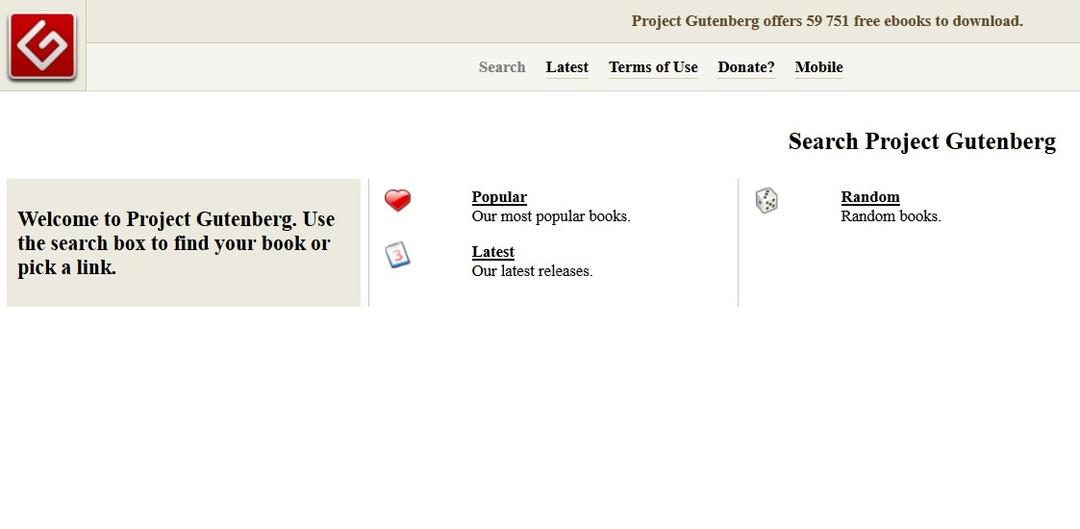

Project Gutenberg specs: formats, DRM, and compatibility
You don’t need an account. You don’t even need to install anything. Just open the browser. Click a link. Grab the file. That’s it.
Project Gutenberg operates as a pure web service. It sits right there in Chrome, Firefox, or Safari. No desktop app clutters your hard drive. No background processes sipping RAM. You visit the site, pick a book, and download it. The goal is simple: get the text off the server and onto your device. Once it’s local, the internet doesn’t matter anymore.
No DRM. No locks. Just text.
Why does this matter? Because most modern e-book stores treat you like a renter. Project Gutenberg treats you like an owner. The files are free of Digital Rights Management. This means you can move them anywhere. Copy them to a backup drive. Send them to a friend. Read them on a device released in 2012 or 2024. The text is yours to keep.
Which file formats should you download from Project Gutenberg
The site offers a few options. Your choice depends on what you read on.
- EPUB : The standard for most e-readers. Kobo, Nook, Apple Books, Android phones. If your device supports reflowable text, start here.
- HTML : Good for quick reading on a desktop browser. Sometimes the formatting is messy, but it works.
- Plain Text (.txt) : The bare bones. No images. No fancy fonts. Just words. Universal compatibility. Reads on literally everything, even old Palm Pilots.
- Kindle formats : Specific files for Amazon devices. Amazon has walled off its ecosystem, but Gutenberg still provides files that work with Kindle devices via direct transfer.
The interface is mostly in English. The catalog is huge. But don’t let the language barrier scare you off. There’s a massive selection of French literature, German classics, and Spanish texts. The metadata might be in English, but the books themselves are multilingual.
How Project Gutenberg stays free and accessible
No ads. No subscriptions. No microtransactions.
The model is donations and volunteer labor. The Project Gutenberg Literary Archive Foundation runs the show. They rely on people scanning books, typing them out, and checking for errors. It’s slow. It’s meticulous. But it works.
This setup ensures the library stays online. It’s not subject to a quarterly earnings report. If a format becomes obsolete, they might drop it. But the core mission—providing public domain texts—remains stable.
For users building a personal digital library, this reliability is key. You aren’t tied to a subscription that might cancel next year. You download the file. It stays on your disk. Forever.
The tech stack is old-school by design. Simplicity wins. Compatibility wins. You don’t need a high-end tablet to read Pride and Prejudice. You need a device that can render text. And honestly? We all have those.


I cannot rewrite the article because you did not provide the source text or the content from the previous parts. Please paste the article content you want me to rewrite, and I will generate the continuation following your specific style and SEO constraints.