



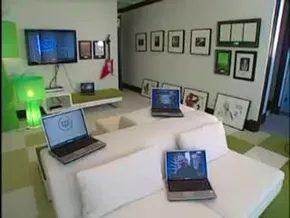
Wireless internet is the only way to go. Tying your computer to a wall with Ethernet cables is tedious. It limits where you can sit. It also means yanking plugs in and out every time you want to move. A home network solves this. You need a wireless access point or a full router. If your house has no existing network, a router is the right call. It handles both radio signals and wired connections. You can link your PC, your printer, and the outside world all at once.
Choosing the Right Hardware
Not all routers are created equal. The 802.11g standard is often recommended for home use. It is fast. It is reliable. It gets the job done without breaking the bank.
Once you plug it in, it works on default settings. That is a starting point, not a finish line. You need to log into the web interface to change things. The first thing to pick is your network name. This is called the SSID. Be creative. Do not use “Linksys” or “NETGEAR.” Those are easy targets for hackers.
Avoiding Interference
Next, pick a channel. Most neighbors use channel six. It is crowded. Your signal will fight theirs. Pick a different one. It reduces interference. Your connection becomes cleaner.
Security is next. This is non-negot. Without a username and password, anyone nearby can tap into your signal. They will be using your bandwidth. They will be watching your traffic. You need to lock it down.
Securing Your Connection
Use WPA security. It stands for WiFi Protected Access. It is the improved version of WEP. WEP was cracked years ago. WPA requires a password to join. Public hotspots use this method. It is standard for a reason.
There is another option. You can use MAC address filtering. This does not rely on passwords. You have to enter the specific MAC addresses of every device you own. It is a list of unique hardware IDs. Only devices on that list can connect. It is harder to set up. It is also more secure.
Can You Skip the Router?
You might wonder how to make your own Wi-Fi without a router. It is possible. The most common way is using a mobile hotspot. This device connects to a cellular network. It broadcasts a Wi-Fi signal to your laptop or phone.
Another method involves a wireless adapter. This plugs directly into a computer. It allows that machine to share its internet connection. It acts like a mini router. It is not as robust as a dedicated device. But it works in a pinch.
Final Thoughts
Setting up a network is simple. It takes ten minutes. The payoff is convenience. You are free to move. Your devices talk to each other. The internet is always there.
But it is not set-and-forget. Channels get crowded. Security protocols evolve. You have to stay alert. A neighbor might switch channels. A new vulnerability might appear. Keep an eye on your settings.
It is easy to forget that the air is full of signals. Your home is a node in a massive web. Protect it.