




Odysseus didn’t win the Trojan War by brute force. He won it by lying.
The story goes that the Greeks built a massive wooden horse, hid their best warriors inside, and pretended to sail away. They left Sinon behind to spin a web of deceit. He told the Trojans the horse was an offering to Athena, a gift that would bring luck and guarantee the city’s safety. The Trojans, gullible and proud, dragged the beast through their gates.
That night, while the city slept off wine and false security, the Greek soldiers slipped out. They opened the gates. The rest is history.
Your computer faces a similar threat. It doesn’t have gates in the traditional sense, but it has trust. And trust is exactly what hackers exploit.
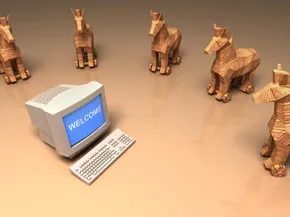
When people talk about trojan horses in tech, they aren’t referring to mythology. They’re talking about malware that disguises itself as legitimate software. The mechanic is identical to the ancient siege. The program appears harmless. Maybe it’s a cracked game, a pirated movie, or a free utility that looks useful. You install it. You trust it.
Once installed, the trojan doesn’t just sit there. It burrows into your system. It can infect other files. It can steal sensitive data and ship it back to the developer over the internet. From there, the attacker gains control. They can slow your system to a crawl. They can crash your machine. They can turn your PC into a zombie for botnet attacks.
These aren’t true viruses. They don’t replicate themselves. But the confusion persists. You’ll see terms like “trojan virus,” “trojan horse,” or just “trojan” used interchangeably. They all point to the same threat: a malicious payload hiding in plain sight.
The real question isn’t what they are. It’s how you let one in.
Protecting Yourself from Trojan Horses

You have to do the heavy lifting for a Trojan horse.
That sounds unfair. It is.
Unlike a traditional virus that hunts for weaknesses and propagates on its own, a Trojan relies on you. You have to install the server side. You have to run the .exe file. The malware doesn’t sneak in; it waits for an invitation.
This is where social engineering comes in. The author of the Trojan horse has to convince you to download the application. They might send it in an email message. They hope you execute it. They know you will, eventually, because curiosity or convenience often wins.
Once you click, the Trojan server installs. It starts running automatically every time you power up your computer. You are now carrying the seed.
The Email Attachment Trap
The most common way these infections spread is through email attachments.
Developers use spamming techniques here. They send out hundreds or even thousands of emails to unsuspecting people. The volume is the weapon. Most people don’t check every sender. They open the message. They download the attachment. They get infected.
It is a numbers game.
But it isn’t always a person manually spreading the malware. Sometimes your own computer does the dirty work.
If your system is already compromised, it can become a vector. Crackers—hackers who use their skills to cause mischief or damage—deploy Trojans that turn innocent web surfers’ computers into zombie computers. You rarely know your system is under control. It feels normal. It looks normal. It isn’t.
These zombie computers send out more viruses. They create networks known as botnets. One infected machine becomes a node in a larger, invisible army.
Protection Strategies
There are steps you can take.
The easiest defense is behavioral. Never open emails or download attachments from unknown senders. It sounds simple. It is. Simply deleting these messages often prevents the initial breach.
You also need technical defenses. Installing antivirus software is non-negotiable. It scans every file you download. It works even if the file comes from someone you trust. People make mistakes. Software doesn’t have to.
If you suspect infection, act fast.
- Disconnect your internet connection immediately. Cut off the link to the botnet.
- Remove the malicious files. Use an antivirus program to scan and eliminate the threat.
- If the infection is deep, consider reinstalling your operating system. It is the nuclear option, but it works.
You can call your computer’s manufacturer. You can visit a local computer store. Or you can ask a knowledgeable friend. You don’t have to fight this alone.
Removing the Infection
Can a Trojan virus be removed?
Yes. But you have to be thorough.
Start by uninstalling any suspicious programs. Check your add/remove applications list. If it looks unfamiliar, remove it.
Next, delete any suspicious files. Look for recently created items in your startup folder or root directories.
Finally, run a full virus scan. Let the antivirus software identify and quarantine the Trojan. This process removes the immediate threat, though vigilance is required afterward to ensure the botnet connection is fully severed.
What to Watch For
Understanding how Trojans work changes how you browse.
You stop assuming safety. You start questioning the source. A file from a known contact could still be compromised. Their email might have been used in a spam campaign.
The distinction between a virus and a Trojan is stark. A virus replicates. A Trojan hides. One spreads automatically. The other waits for you to open the door.
Knowing the difference helps you stay safe. It helps you recognize the signs. It helps you avoid becoming part of a botnet without ever realizing you were there.
The web is vast. The threats are numerous. Your awareness is your best firewall.