


MacBooks are still the gold standard. No arguing that. They are fast. They hold a charge forever. They look good doing it. Apple raised prices this summer, sure. But you still get what you pay for.
Maybe that doesn’t matter to you though.
You want a 2-in-1 design. Apple doesn’t make those. You want an OLED screen. They don’t have them yet. You live in Windows or ChromeOS. Your software forces your hand. Android phones pair better with PCs. Whatever the reason, MacBooks aren’t the only game in town.
I put eight competitors to the test. I’m replacing my MacBook. Here are the Windows laptops and Chromebooks that actually beat Apple in 2026.
The Top Windows Laptop for Most Buyers: Asus Zenbook A14
Why the Asus Zenbook A14 beats the MacBook Air
If you want the closest thing to a MacBook Air but on Windows, this is it. The Asus Zenbook A14 is a miracle of efficiency. It runs on Qualcomm’s Snapdragon X2 Elite chip. This processor is a beast. It barely trails the M5 MacBook Air in single-core tasks like browsing or emailing. But in multi-core workloads? It’s 20 percent faster. Video editors will notice that.
The battery life is where it gets scary. This laptop lasted 27 hours and 36 Minutes in my testing. That is six hours longer than the MacBook Pro M5. Ten hours longer than the Air. It’s one of the longest-lasting laptops we’ve ever reviewed.
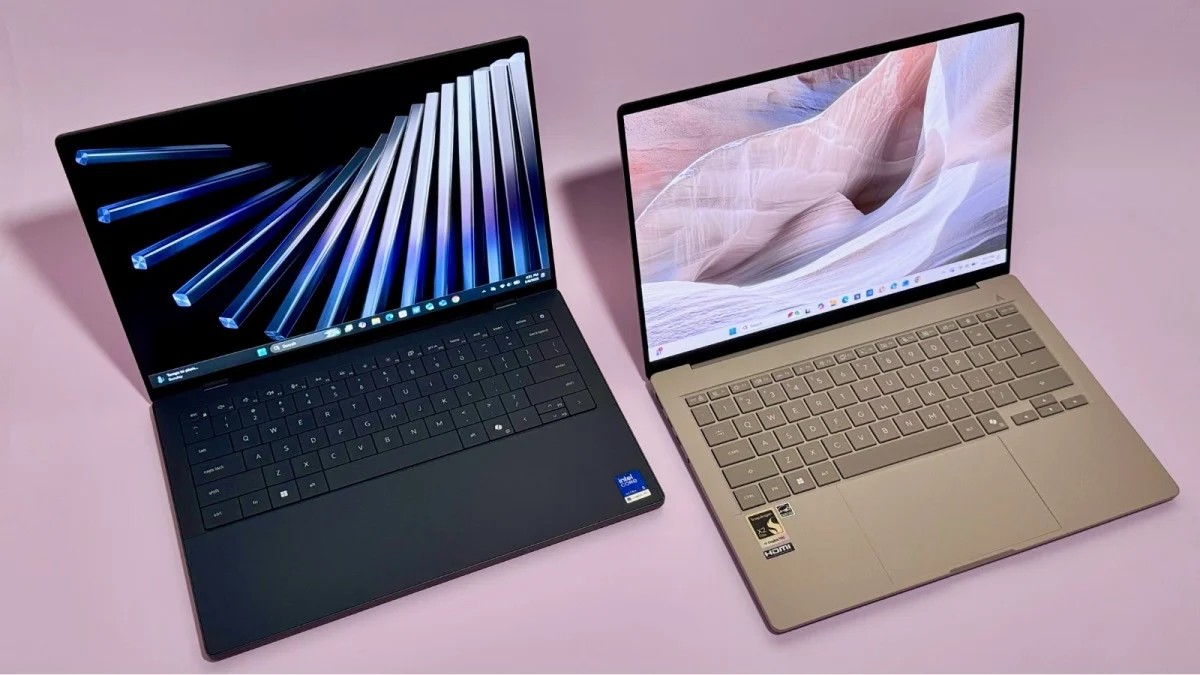
It’s also tiny. Weighing just 2.4 pounds. It’s lighter than a 13-inch Air. The chassis is “Ceraluminum” – smudge-proof and rigid. I got the tan finish with gold accents. It looks like pottery. It stands out in a sea of boring silver clams.
The screen is a 14-inch OLED. Colorful. Bright. Not quite as crisp as Apple’s Liquid Retina, but close enough for most people. The keyboard feels “creamy.” Smooth. I also love the port selection. It has HDMI. Two USB-C ports. A USB-A port. A headphone jack. You don’t need dongles here.
The downsides: The webcam and speakers are just okay. No haptic touchpad. Some app compatibility quirks exist. But for $1,000 to $1,300 range, it’s a steal.
The 2026 Zenbook A4 overachieves on performance. It’s effectively equal to the M5 Air, but faster in multi-core tasks.
Asus Zenbook A14 Specifications
- CPU: Qualcomm Snapdragon X2 Elite
- RAM/Storage: 16GB RAM / 512GB SSD
- Screen: 14-inch, 1,920 x 1.200 OLED, 60Hz
- Battery: 27 hours, 36 minutes
- Weight: 2.4 lbs
The Best MacBook Neo Alternative: Acer Chromebook Plus Spin 514
When a Chromebook beats a MacBook
The MacBook Neo is the budget entry. It’s a tablet. It’s simple. If you mostly use Google Apps, a premium Chromebook makes more sense. The Acer Chromebook Plus Spin 2514 fits the bill. It’s a 2-in-1. It’s built like a tank for a Chromebook. Aluminum body. Plastic keyboard deck. The hinge doesn’t creak.
The MediaTek Kompanio Ultra 970 chip handles daily tasks fine. It’s not a speed demon. It’s 18 percent slower in multi-core tasks than the Neo’s A18 Pro chip. And probably 40 percent slower in single-core. But if you aren’t compiling code or editing 4K video, you won’t feel it. Cloud gaming runs smooth thanks to the 120Hz touchscreen.
Battery life is the killer feature here. 18 hours and 11 Minutes. That’s three and a half hours longer than the Neo. It outlasts fancy Windows laptops. It outlasts the MacBook Air in real-world mixed usage.
It’s pricey for a Chromebook. Over $600. But it’s better made than almost any other option in its class. You get a 120Hz screen. Five megapixel webcam. More ports than the Neo.
For casual users, the Acer Chromebook Plus Spin offers superior battery life and a more versatile form factor than the MacBook Neo.
Acer Chromebook Plus Spin Specifications
- CPU: MediaTek Kompanio Ultra 91
- RAM/Storage: 12GB RAM / 256GB Storage
- Screen: 12-inch, 1.920 x 1.080 IPS, 120Hz, Touch
- Battery: 18 hours, 11 minutes
- Weight: 2.96 lbs
The Best MacBook Pro Alternative: Dell XPS 14
For power users who need raw performance
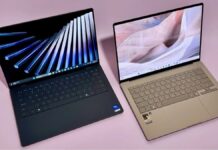
If you are a content creator, the Dell XPS 14 is the one to beat. It’s sleeker. Thinner. Almost half a pound lighter than the 14-inch MacBook Pro. The all-aluminum body is stunning. Available in graphite or shimmer. The “lattice” keyboard looks modern. It feels a bit different if you’re used to island-style keys, but it’s clean.
The real draw is the optional 2.8K OLED touchscreen. It’s a $150 upgrade. It’s not as bright as the Liquid Retina XDR, but it’s more vibrant. And it supports a 120Hz refresh rate that drops to 20Hz (or 1Hz on lower-power models) for static content. Apple won’t offer OLED until late 2026. Dell does it now.
Under the hood, the Intel Core Ultra X7 758H chip matches the M5 in multi-core performance. Only 4 percent slower. The Intel Arc B390 graphics? Surprisingly powerful. You can actually run AAA games like Cyberpunk 2077 at decent frame rates using AI upscaling.
Battery life is the weak link. 10 hours, 19 minutes in my test. That’s less than half the MacBook Pro. But if you pick the base model with the Core Ultra 5, you get 22 hours of battery. You sacrifice performance for time. It’s a trade-off.
Ports are scarce. Three Thunderbolt 4 USB-C ports. You’ll need a dongle. And it’s expensive.
Dell XPS 14 Specifications
- CPU: Intel Core Ultra X7 558H
- RAM/Storage: 32GB RAM / 1TB SSD
- Screen: 14-inch, 2,880×1,800 OLED, Touch, 120Hz
- Battery: 10 hours, 18 minutes (X7 model) / 22 hours (Core Ultra 5)
- Weight: 2.98 lbs
The Stylish Upgrade: HP OmniBook Ultra 14
A premium Windows experience for designers
The HP OmniBook Ultra 14 is for the person who wants style and substance. It looks sophisticated. Anti-smudge finish. Thin profile. Light. It feels expensive.
I tested the Snapdragon X2 Elite model. It’s fast. Multi-core performance beats the M5 Air and Pro. Single-core is solid. The 2.8K OLED 120Hz touchscreen is gorgeous. The haptic touchpad works well. The mic quality is above average.
The keyboard is quiet. Maybe a bit mushy. Not as satisfying as Dell’s or Apple’s. The webcam is dull. Blur. And it’s pricey.
If you want a MacBook Air alternative that doesn’t feel like a clone, this is it. It’s polished. It’s powerful. It’s just a bit heavy on the wallet.
HP OmniBook Ultra 14 Specifications
- CPU: Qualcomm Snapdragon X2 Elite
- RAM: 16GB or 32GB
- Screen: 14-inch, 2.8K OLED, Touch, 12Hz
- Weight: ~3 lbs
- Notable: Haptic Touchpad, HDMI, USB-A, USB-C ports
What to Look for in a MacBook Alternative
Apple’s ecosystem is sticky. But the gap is closing. When you swap Mac for PC, you need specific features depending on which MacBook you’re replacing.
For MacBook Air Buyers
Look for ultralight ports. Sub-2.5 pounds. All-day battery. The Asus Zenbook A14 nails this. It’s the direct rival.
For MacBook Pro Buyers
You need power. And a great screen. 120Hz. High brightness. Color accuracy. The Dell XPS 14 offers the display tech Apple doesn’t have yet. And the performance to match.
For MacBook Neo Buyers
Price. Flexibility. If you don’t need macOS, a Chromebook makes sense. The Acer Spin 514 offers 2-in-1 utility. And battery life that shames the Neo.
The Verdict: Stick with Mac or Switch?
Apple still wins on software integration. The M5 chips are efficient. macOS is polished. But if you need an OLED screen? Or a touchscreen? Or 40-hour battery life? Windows laptops have caught up.
The Asus Zenbook A14 is the best all-around alternative. It’s fast. It lasts forever. It’s light. It’s affordable.
The Dell XPS 14 is for pros. The Acer Chromebook is for students and casual users.
Apple is expensive. Their prices keep rising. The alternatives are getting better. Maybe it’s time to try something else.
Which one would you pick? The OLED screen on the Dell? The battery life of the Zenbook? Or stick with Apple’s walled garden? There’s no wrong answer. Just different priorities.