




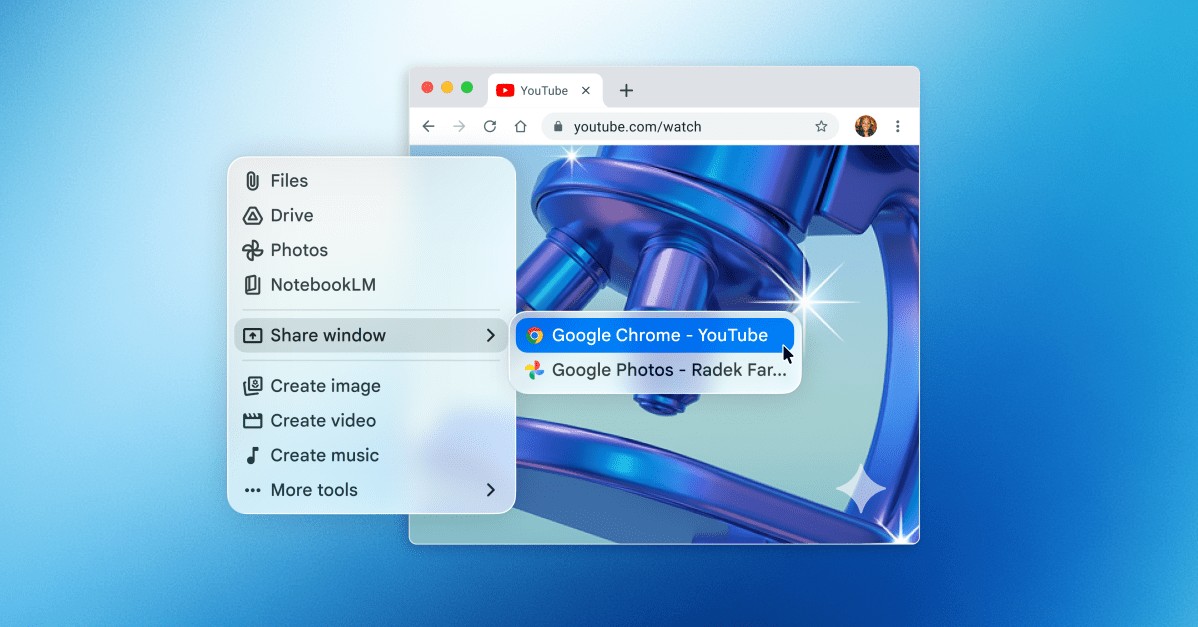
Google has officially expanded its AI ecosystem to macOS with the launch of a dedicated Gemini app. Designed to integrate more deeply into the desktop experience, the app allows users to interact with Google’s AI assistant without the friction of switching between browser tabs and active applications.
Seamless Integration via “Floating” Interface
The standout feature of the new app is its accessibility. By using the Option + Space keyboard shortcut, users can trigger a floating chat bubble that appears instantly over their current workspace.
This interface functions similarly to Apple’s Spotlight search, providing a lightweight way to query the AI while working. A key capability of this integration is contextual awareness :
– Users can grant Gemini permission to access system information and view their active window.
– Once permitted, the AI can “see” what is on the screen to provide highly relevant answers based on the user’s immediate task.
A Growing Battle for Desktop Dominance
This launch marks a strategic move by Google to capture the desktop AI market, which is currently a primary battleground for tech giants. By moving away from a purely web-based experience, Google is positioning Gemini to compete directly with:
– OpenAI (ChatGPT)
– Anthropic (Claude)
– Perplexity
However, Google faces a significant competitive hurdle. While the Gemini app offers excellent accessibility, rivals like ChatGPT and Claude have already introduced “agentic” features—capabilities that allow their AI assistants to perform actual tasks on the computer on the user’s behalf, rather than just answering questions about the screen.
Core Features and Capabilities
Beyond the new desktop interface, the Mac app retains the robust functionality found in Gemini’s web and mobile versions:
– Google Ecosystem Sync: Users can upload files, photos, and documents directly from Google Drive.
– Multimodal Generation: The app supports the creation of images, videos, and music.
– Continuity: All conversations are linked to the user’s Google account, allowing for a seamless transition between mobile, web, and desktop sessions.
Availability and Requirements
The rollout follows closely on the heels of Google’s recent release of a similar “Spotlight-style” app for Windows. The Gemini Mac app is available for free in all supported languages and regions.
Technical Requirements:
– Operating System: macOS Sequoia (15.0) or later.
The move to desktop apps signifies a shift in the AI industry: the goal is no longer just to provide a chatbot, but to create an omnipresent assistant that lives within the user’s operating system.
In summary, Google’s new Mac app aims to reduce workflow friction by bringing Gemini directly to the desktop via a quick-access interface, though it must still catch up to competitors in terms of autonomous task execution.